
Many business owners and system administrators rely on RAID arrays to protect their most valuable data. RAID systems are designed to increase performance and reliability, but when something goes wrong, things can become very complicated, very quickly.
At Datatech we have seen all kinds of RAID failures, and we know from our own experience that recovering data from these systems is among the most complex work in the world of data recovery. In this article we will explain why, and try to do so in plain language.
What is RAID and what is it used for?
RAID stands for Redundant Array of Independent Disks or in plain terms: a set of independent drives working together. The idea is simple: by spreading data across many drives, you get greater speed, greater reliability, or both.
The problem? When one or more drives in the array fail, recovery becomes much more complicated than it would be with a single drive.
The three main challenges
1. Failed drives in the array
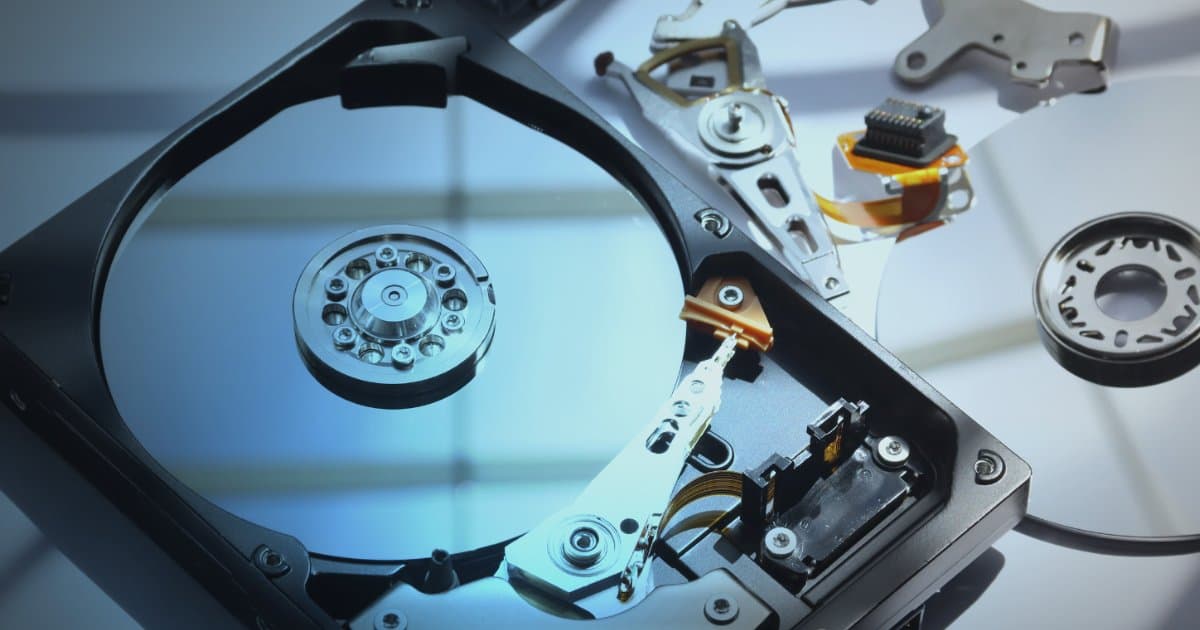
The most common cause of data loss in a RAID array is hardware failure, for example damage to the platters, the read/write heads or the drive's internal control data.
When a drive in a RAID array fails, you cannot simply remove it and read the data off it in one go. The data is spread across all the drives, and each drive contains only a fragment of the whole picture. That is why specialised tools are needed that can:
Work directly with failed drives at the hardware level
Read only the sectors that matter, to minimise the load on fragile failed drives.
Use the redundancy of the data to fill in the gaps where a drive has failed
At Datatech we use PC-3000 Express, a system that allows us to communicate directly with failed drives when an ordinary computer cannot see them. With this equipment we can control power and read modes, reset drives at the hardware level, repair firmware errors and rewrite them. This is the foundation for being able to recover data that would otherwise be inaccessible.
2. Finding the correct array configuration
Even if all the drives are readable, you need to know exactly how the array was configured in order to read the data correctly. This means finding:
The correct drive order: if the order is wrong, all you see is garbage
Block size (block size): how large the chunks of data are on each drive
Starting position (offset): where the data begins on each drive
RAID type: whether it is RAID 0, 1, 5, 6, 10 or another type
It is like assembling a jigsaw puzzle when nobody knows what the picture is supposed to look like. Our specialised analysis tools can determine these parameters automatically in many cases, but sometimes experience and manual analysis are needed to arrive at the correct configuration, especially with unconventional or custom setups.
3. Logical recovery of the data
Once the array configuration has been determined and all the drives are accessible, the data recovery itself can still be complex. Reasons can include:
Damaged metadata (metadata): the file system itself may be broken, which means the folder structure and file names can be lost
A large number of drives: larger arrays require all drives to be connected at the same time, which demands a great deal of equipment
Slow reading: failed drives often read much more slowly than normal, which lengthens the process considerably
At this stage, experience and the right software are key. Our tools can handle all common RAID types and allow us to rebuild file systems even when the metadata is partly damaged.
Why do specialists matter?
Many people try to recover data themselves, or turn to a general computer service. At best that can be a waste of time, and at worst it can cause further damage and make final recovery harder or impossible.
The main reasons to turn to specialists like Datatech:
Specialised hardware: PC-3000 systems and a cleanroom environment are essential for serious failures. We replace read/write heads and other parts that need replacing, which requires specialised tools and expertise.
Experience and knowledge: every RAID array is different, and it takes experience and knowledge to determine the correct configuration
Minimised load on drives: our equipment reads only the necessary areas of the drives, which increases the chances of success
Logical reconstruction: when the file system is damaged, data can be recovered through specialised analysis
Summary
RAID arrays are excellent when they work, but when they fail, recovery can be among the most complex there is. The problems can be of three kinds: failed drives, an unknown configuration, and logical damage. Often they all occur at the same time.
At Datatech we are specialists in data recovery from RAID arrays and have the tools, knowledge and experience needed to tackle even the most difficult projects.
If you have a failed RAID array, the first step is to submit a service request.
Need help with data recovery?
The first step is to send us a service request. Get in touch with us today.
Contact us